
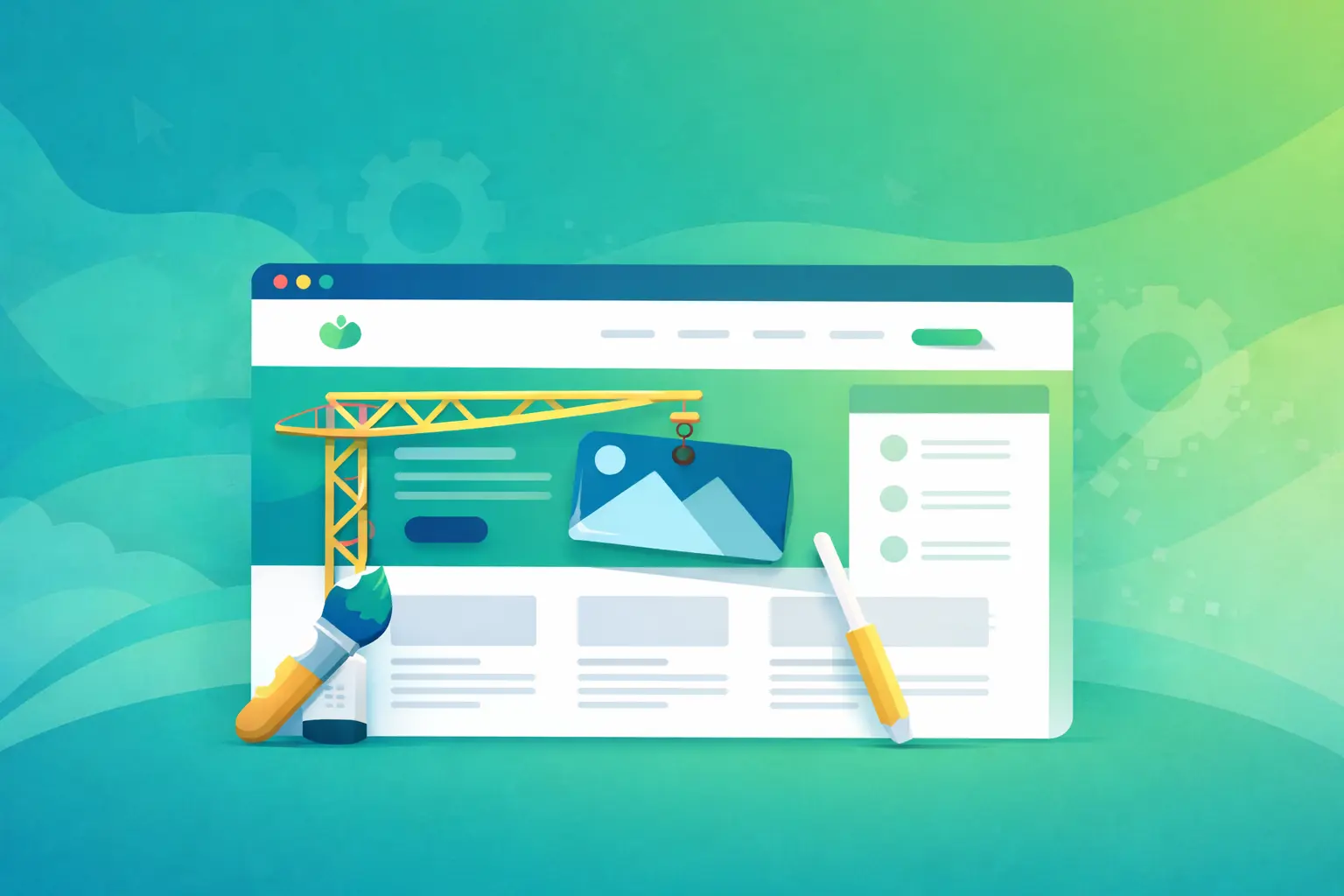
You have had a website for a few years. It works, but something feels off. Visitors do not stick around, Google barely shows it, or it just looks dated next to the competition. It might be time for a redesign.
In this article, you will learn what a redesign actually means, when you really need one (and when you don't), what the process involves, and how to keep your Google rankings while you do it.
Visitors form a first impression of your site in under 50 milliseconds
Source: Lindgaard et al., Behaviour & Information Technology (2006)
In this article:
What is a website redesign?
A website redesign is a full overhaul of an existing site. It is not just a quick color or image swap. It is a deep change to the look, structure, and technology of the site.
Think of it like a major apartment renovation. You don't just paint the walls. You may move walls, replace plumbing and wiring, change the flooring. The address stays the same, but the space inside is completely different.
A redesign includes:
- A fresh look - a modern design that feels professional
- Technical upgrades - faster code, a more secure site
- Mobile-ready - clean experience on every device
- Better visibility in Google - search engine optimization done properly
A classic Stanford study (Fogg et al., 2002) found that 46% of people judge a website's credibility at least partly on its visual design - the single most-mentioned factor. The look of your site is not cosmetic; it directly shapes whether visitors trust you.
8 signs your site needs a redesign
How do you know if you actually need a redesign? Here are the signals you shouldn't ignore:
1. The site loads slowly (over 3 seconds): According to Google (2016), 53% of mobile visits are abandoned if a site takes longer than 3 seconds to load. Check your speed in PageSpeed Insights - if your score is under 50, you have a problem.
2. It looks bad on a phone: According to StatCounter (2026), more than half of all global web traffic now comes from mobile devices. If the site is hard to use on a phone, with text that's too small or awkward buttons, you're losing most of your visitors.
3. Visitors and inquiries keep dropping: If you see a steady decline in Google Analytics with no obvious cause, the site may have technical issues. Check whether Google is reporting any errors in Search Console.
4. The design feels dated: If your site is from 2018-2020 or earlier, it probably looks "old" next to the competition. Web design trends shift every 3-4 years.
5. There are security issues: If the site runs an old version of WordPress or another platform with no updates for months, it is vulnerable to hackers. A hacked site means lost trust and Google warnings flagged on your domain.
6. People land and immediately leave: That's called "bounce rate". If more than 70% of your visitors bounce right away, something is pushing them off - slow loading, confusing design, or unclear content.
7. Updating anything on the site is a pain: If you need to call a developer for every tiny change, or the admin panel is so clunky you avoid touching it, you have lost flexibility.
8. The business has changed: Expanded your services? Shifted focus? Have a new brand identity? If the site doesn't reflect what you do today, it confuses customers.
Rule of thumb: if you recognize 3 or more of these signs, seriously consider a redesign. If it's only 1 or 2, targeted fixes may be enough.
Redesign or new site - what's the difference?
People often ask: "Should I update the old site or start from scratch?" Here are the key differences:
| Aspect | Redesign | New site |
|---|---|---|
| Domain | Stays the same | Can be new |
| Google rankings | Preserved | Start from zero |
| Content | Carried over and improved | Written from scratch |
| Timeline | 4-10 weeks | 6-16 weeks |
| Cost | Lower (30-50%) | Higher |
Choose a redesign when: the site has solid Google rankings you want to keep, the content is strong and still relevant, and the company name and services are staying the same.
Choose a new site when: the site has been hacked and can't be salvaged, you're completely changing the business or brand, or you've lost access to the old site. If you're weighing a platform switch, take a look at the WordPress vs custom site comparison.
What the redesign process involves
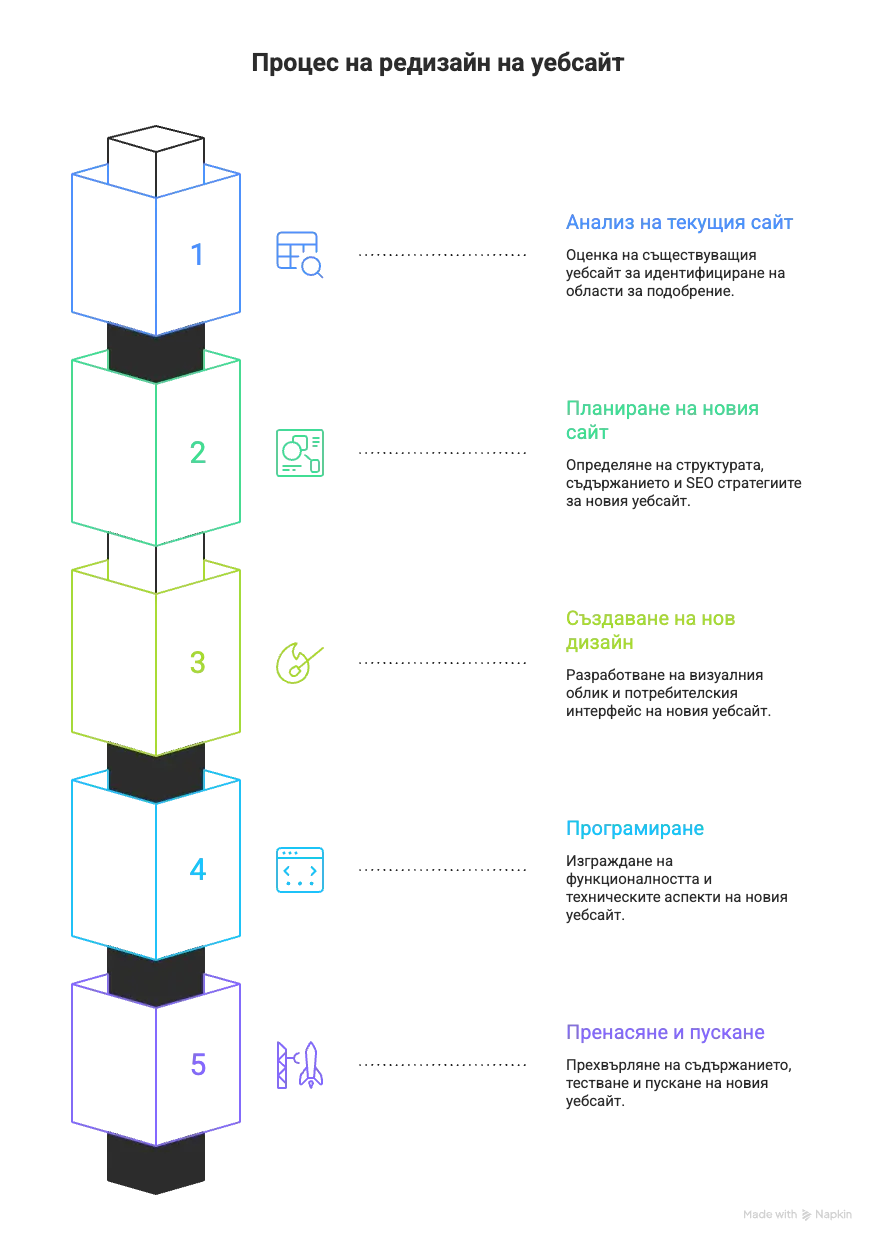
A professional redesign moves through a few clear stages:
1. Auditing the current site: Checking what works and what doesn't - speed, mobile issues, Google rankings, what visitors actually do on the site. That tells you exactly what needs to change.
2. Planning the new site: Defining the structure - which pages it will have, how they are organized, what content goes on each one. This stage also plans how to keep Google rankings intact.
3. Designing the new look: Building out the visual identity - how the site will look, what colors, fonts, and layout it uses. Mockups usually go through approval before any code is written.
4. Development: Building the new site on fast, secure code. Speed optimization, plus all the technical SEO setup.
5. Migration and launch: Moving content from the old site, full QA, and switching over to the new site. Redirects are set up so Google rankings don't take a hit.
After the redesign, remember that the new site also needs care. Learn what website maintenance involves.
How to keep your Google rankings
This is the #1 worry around a redesign: "Will I lose my Google rankings?". Done right, no. Here's what matters:
Keep the page URLs: If any URL has to change, set up a 301 redirect, which tells Google "this page has moved to a new address".
Keep titles and descriptions: Meta tags are the title and description Google shows in search results. They should be carried over or improved, not lost.
Improve speed: Google rewards fast sites. Core Web Vitals are a confirmed ranking signal (Google Search Central), and a redesign is the perfect chance to make your site faster - which usually means lower bounce rates and better rankings.
Add structured data: This is special code (schema markup) that helps Google understand what's actually on your site.
- Lower bounce rate - faster loading and clearer design keep visitors on the page
- More inquiries - clear structure and strong calls to action turn visitors into leads
- Higher conversion rate - a better experience makes it easier to take action
- More organic traffic - improved speed and technical SEO help your rankings over time
Learn more about SEO optimization and how to rank higher.
How much does a website redesign cost
The price depends on scope. Compared to the cost of a brand new site, a redesign is usually 30-50% more cost-effective. Here are realistic price ranges:
Price ranges:
800 - 1 500 €
Basic redesign
1 500 - 3 000 €
Professional
3 000 - 6 000+ €
Full with online store
Basic redesign: 800 - 1,500 €
Includes: 5-8 pages, new design, mobile version, baseline SEO. A good fit for small businesses that want a fresh look.
Professional: 1,500 - 3,000 € - recommended
Includes: 10-20 pages, SEO optimization, new or improved content, detailed analytics. The best price-to-quality ratio.
Full overhaul: 3,000 - 6,000+ €
Includes: 20+ pages, online store functionality, integrations with external systems, advanced SEO.
"In our experience, the redesigns that actually pay off are the ones that fix conversion and speed problems - not the ones that just chase the latest visual trend."
- Coding Turtles
When you do NOT need a redesign
A redesign is not the answer to every problem. Sometimes it's just unnecessary:
The site is fine, but no one visits: If the site is fast and looks good but nobody's coming, the problem is marketing, not design. You probably need an SEO strategy or paid ads, not a redesign.
You're just bored of the design: If the site works well and brings in clients, don't touch it just because you want a change. Your users may be perfectly used to it.
The problem is only with the copy: If the design and tech are solid but the content is weak, it's cheaper to hire a copywriter than to commission a full redesign.
You don't have a real budget for a quality redesign: A bad redesign can hurt you more than an old but functional site. If the budget is very tight, do targeted fixes instead of a half-baked redesign.
Pre-redesign checklist
Walk through these points before deciding whether you need a redesign:
Conclusion
A website redesign is a serious investment, but when it's done right, it pays for itself many times over. The key is to recognize when you actually need one and to work with a team that understands not just design but also SEO and user experience.
If you recognize 3 or more of the signs above, it's time to seriously think about a refresh. If you're not sure, get in touch for a free consultation.
Sources
- Stanford Web Credibility Project - Fogg et al. (2002) (accessed June 2026)
- Lindgaard et al.: Attention Web Designers - 50 Milliseconds (2006) (accessed June 2026)
- Google: The Need for Mobile Speed (2016) (accessed June 2026)
- StatCounter: Desktop vs Mobile Market Share Worldwide (accessed June 2026)
- Google Search Central: Page Experience & Core Web Vitals (accessed June 2026)